Skip to content
Product
LibraryNew
Docs
Learn
Start here
Your first animation
A complete animation, from the first pose to the finished clip.
Community
v1.2.5 Released Oct 1, 2026 Download StykAnimate.
The free animation studio for stick figures. Every tool included. Download for your desktop or start in your browser.
Version 1.2.5
Size 127.0 MB
System Windows x64
Price Free
Official installer StykAnimate-1.2.5-Setup-x64.exe from GitHub Releases
Latest release v1.2.5 · Layer folders, camera follow and smoother editing
900+ animators100+ online
Windows install guide
Three steps and you’re animating.
1
Download
Click Download for Windows . The installer is 127.0 MB .
Installing StykAnimate
2
Install
Open the file from your downloads and follow the setup. If Windows asks, confirm you want to run it.
3
Animate
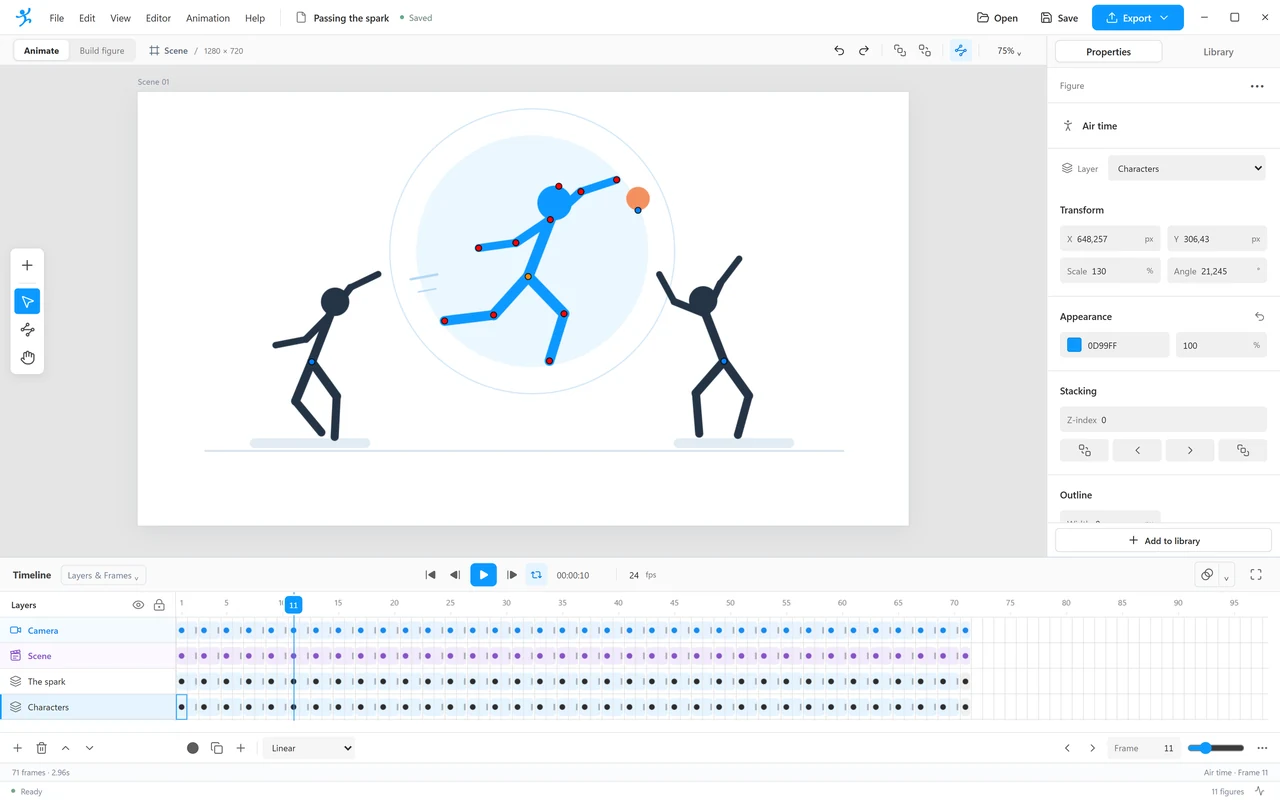
StykAnimate opens with a figure on frame 1. Pose it, add a frame and press play.
Release details
Everything about this version.
What changed, how to check the file, and where to get help.
What’s new in 1.2.5
Layer folders, camera follow and smoother editing
Layer folders with quick creation and a searchable filter to organize your timeline. Playback ranges to loop a chosen section of your animation. Automatic updates for the Linux AppImage, with a prompt to save your work before restarting. Move a layer up or down from its menu in the timeline. Read the full changelog
Verify your download
Compare this Windows installer SHA-256 checksum with your file, for example with Get-FileHash in PowerShell.
746f4cd52145140982869cc8fd4c044364e63e74b554e251548595f4b70fc438Copy
Always up to date
The Setup version checks for new releases in the background and downloads them for you. Portable copies and Linux AppImages are updated by hand. The browser edition updates after you close and reopen it.
Need a hand?
Tutorials, a friendly community and a direct line to the developer.
Archive
Previous versions
Every release stays available. We recommend the latest version.
Version Released Size Installer Changes 1.2.0 Sep 29, 2026 121.9 MB Setup .exe Release notes 1.1.0 Sep 23, 2026 122.7 MB Setup .exe Release notes 1.0.6 Sep 17, 2026 122.5 MB Setup .exe Release notes 1.0.5 Sep 15, 2026 122.4 MB Setup .exe Release notes 1.0.1 Sep 14, 2026 122.4 MB Setup .exe Release notes 1.0.0 Sep 14, 2026 122.4 MB Setup .exe Release notes 0.5.6 Sep 11, 2026 121.6 MB Setup .exe Release notes 0.5.5 Sep 10, 2026 120.1 MB Setup .exe Release notes 0.5.2 Sep 10, 2026 121.5 MB Setup .exe Release notes 0.5.1 Sep 10, 2026 119.9 MB Setup .exe Release notes 0.5.0 Sep 10, 2026 119.9 MB Setup .exe Release notes
The free animation studio for stick figures. Made with animators, for everyone.
Product
Learn
Community
© 2026 StykAnimate · Terms · Privacy · Licence
Version 1.2.5 · Windows · Linux · Browser · Free and open source
Your download has started.
Three quick steps and you’re animating:
Open StykAnimate-1.2.5-Setup-x64.exe from your downloads. Follow the installer. If Windows asks, confirm you want to run it. StykAnimate opens with a figure on frame 1. Pose it, add a frame, press play.
Didn’t start? Download it again · Install guide
Get StykAnimate on your PC.
StykAnimate is free on Windows, Linux and the web. Send yourself the link to animate on a bigger screen.
Already on a Windows PC? Download the installer (127.0 MB )
Animate in your browserNo installation. Save your projects as files.
Open editor